How to Find Your Square Footage
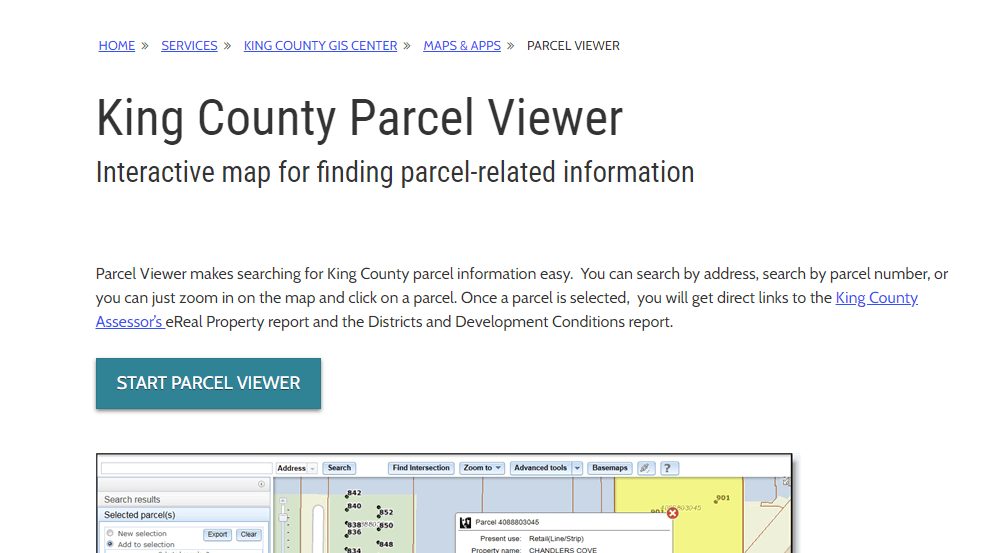
Information is validated against the King County Assessors database. You can find this information by opening the King County Parcel Viewer at:
Step 1: Open the Parcel Viewer
Once you arrive at this web site, click the “Start Parcel Viewer” button.
Step 2: Search for Your Property
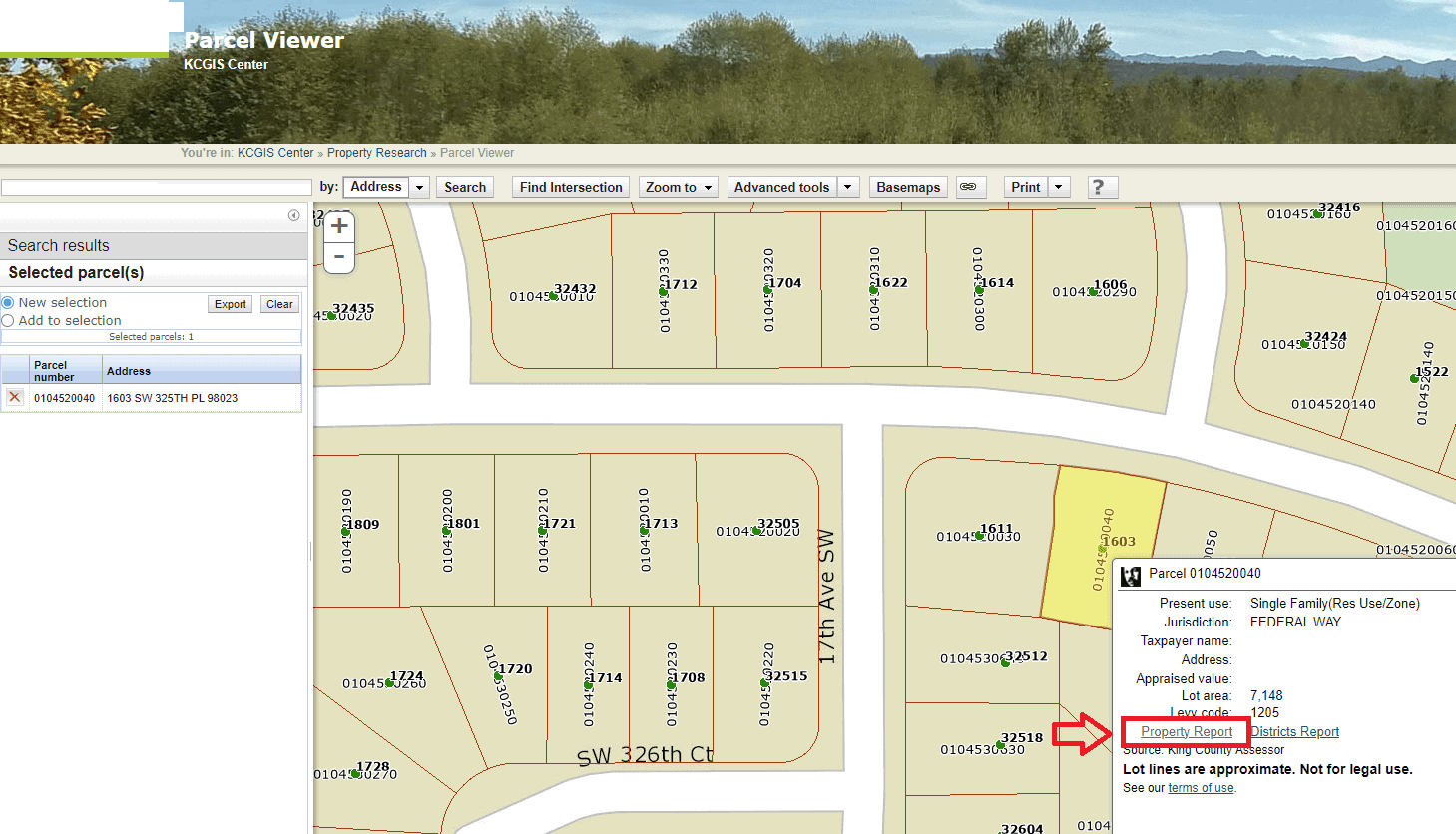
Once the parcel viewer opens, choose a search by address, enter your address in the window and click on the “Search” button; this will take you to the parcel viewer and a map of your property.
If you can not find your address, try typing in just the house number. For example, if the address were 31617 1st Ave S, only type in 31617.

Step 3: Open the Property Report
In the lower left of the parcel viewer pop-up window, click on “Property Report”. The property report page that first opens does not display total square footage.
Step 4: View Property Details
Click on the “Property Detail” button on the center at the top of the page.

Step 5: Add Up Your Square Footage
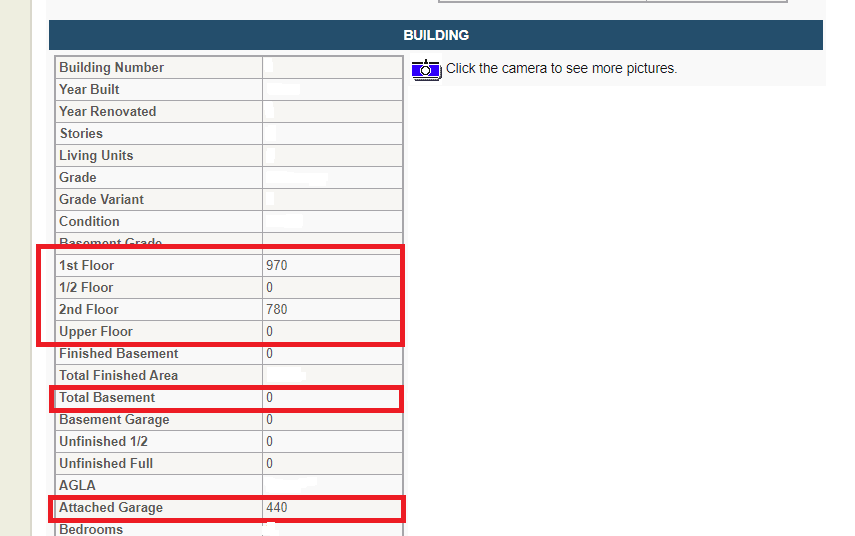
On the property detail page, you will need to scroll down to the “Building” section where the square footage will be located. Add up the total from the 1st floor, 1/2 floor, 2nd floor, Upper Floor, Total Basement, and Attached Garage.
(total for the example = 2190 square feet)